QUICKTURN PLATFORM
Mobile maintenance app for mechanics redesign
Redesign the maintenance report user experience application for mechanics to improve productivity and save time.
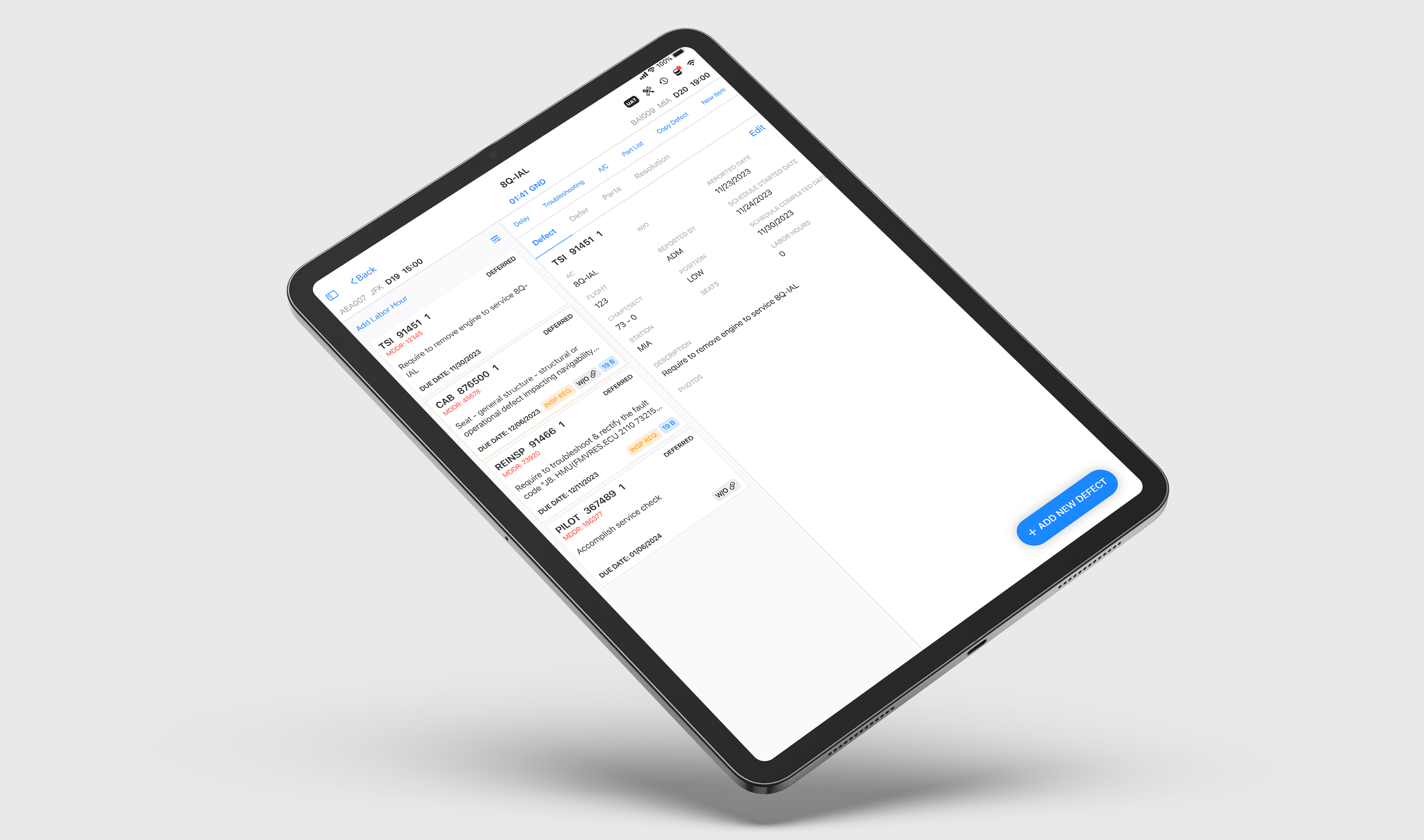
Project Overview
Quickturn is an iOS app for aircraft mechanics to manage airplane defects and maintenance. The goal was to revamp the application to help mechanics quickly navigate their fleet, perform quick maintenance tasks, and share information with others. The design prioritizes simplicity to improve usability.
Problem
Navigation and Information Architecture Issues
- Problem: Users found it difficult to locate airplanes or fleets and navigate between sections, leading to confusion and a fragmented workflow due to excessive back-and-forth validation.
- Impact: This increased cognitive load, requiring users to spend more time and seek guidance for basic tasks. The app's non-intuitive structure hindered users from effectively understanding or using it without prior knowledge.
Inconsistent Visual Design and Layout
- Problem: The app’s layout varied across screens, lacking a clear home return option and deviating from common design conventions. The text was too small and the color scheme felt mismatched.
- Impact: These inconsistencies made the app unintuitive and difficult to use. Users struggled to understand its purpose and complete tasks easily, increasing friction in the overall experience.
Solutions
Improve Accessibility
Consolidate data into fewer screens or grouping related content together to reduce the need for back-and-forth navigation.
Enhance UI Consistency
Implement advanced filters, search options, and autocomplete to help users quickly find specific tasks or aircraft.
Refine Error Messages
Use a consistent layout, grid system, and element spacing to create a predictable experience on all screens.
Refine Error Messages
Increase font size for key details and use legible fonts with high contrast for better readability.
Goals
Intuitive Navigation
Create intuitive navigation by allowing users to quickly complete task of the app within a few taps.
Modern Design
Revamp design allowing users to access and interact with more data quickly in a single screen, without compromising usability.
Enhance Error Handling
Improve text legibility by increasing font size for critical information and using high-contrast.
Research
To understand how mechanics interact with maintenance applications, I conducted one-on-one interviews to gain a clear insight of their expectations and needs.
Interviews
Conducted 5 one-on-one interviews to assess the app's interface, focusing on understanding user needs and behaviors. Participants completed tasks related to navigation to find aircraft from fleet sheet, utilize filters to narrow down search, locate basic functionality like locate previous inspections, historical defects, work orders, etc, and creating final reports to identify usability challenges.
Insights
Inconsistent Visual Design
- The app provided fragmented information, requiring multiple interactions to complete a task, which created friction in the user experience.
- Users struggle to filter and find information quickly, knowing they have limited time to fill out maintenance reports. This requires users to spend more time and seek guidance for basic tasks.
Not quick access to get into an information.
Persona
Based on the app's purpose, our primary users are experienced mechanics who will use the app regularly.
This user persona allows us to identify and gain a deeper understanding of our target audience. It guides us in designing less complex tasks, informs our ideation process, and helps us achieve our goal of improving user experience and visual design.
James Carter
Age: 35
Job Title: Aircraft Mechanic
Pilot Experience: 8 years in aviation maintenance
Location: Seattle, WA
Background
- Jimmy has worked as an aircraft mechanic for over 8 years. He performs maintenance checks on different aircraft to ensure they are safe to fly. He often works under tight deadlines and has to complete tasks quickly.
- He is skilled at troubleshooting and repairing aircraft parts. He keeps detailed records of inspections, which can come from various systems, and often checks multiple sources of information during his work.
Goals
- Perform Efficient Maintenance: Complete maintenance checks quickly and thoroughly to minimize aircraft downtime.
- Ensure Accuracy and Compliance: Ensure all checks and maintenance procedures are accurately recorded and compliant with aviation regulations.
- Stay Organized: Quickly access detailed information about the aircraft to perform necessary tasks without wasting time on navigation or unnecessary steps.
- Improve Task Completion Time: Streamline the process to reduce time spent switching between systems and finding relevant information.
Behavioral Traits
Jimmy excels at troubleshooting and problem-solving in high-pressure situations, where quick decisions are essential. He gets stressed when tools or processes hinder his efficiency and prefers straightforward systems that minimize obstacles, allowing him to concentrate on his work.
Software Needs
Needs an app that allows him to access all relevant information about the aircraft and maintenance tasks without excessive navigation. Needs to quickly locate specific aircraft or tasks using refined filters and search features.
Quote
"I need tools that help me get the job done, not ones that slow me down. Every minute counts when you're working on a plane."
Ideation
I create rough sketches to refine concepts and brainstorm solutions. This method allows me to quickly visualize functionality and identify essential features.
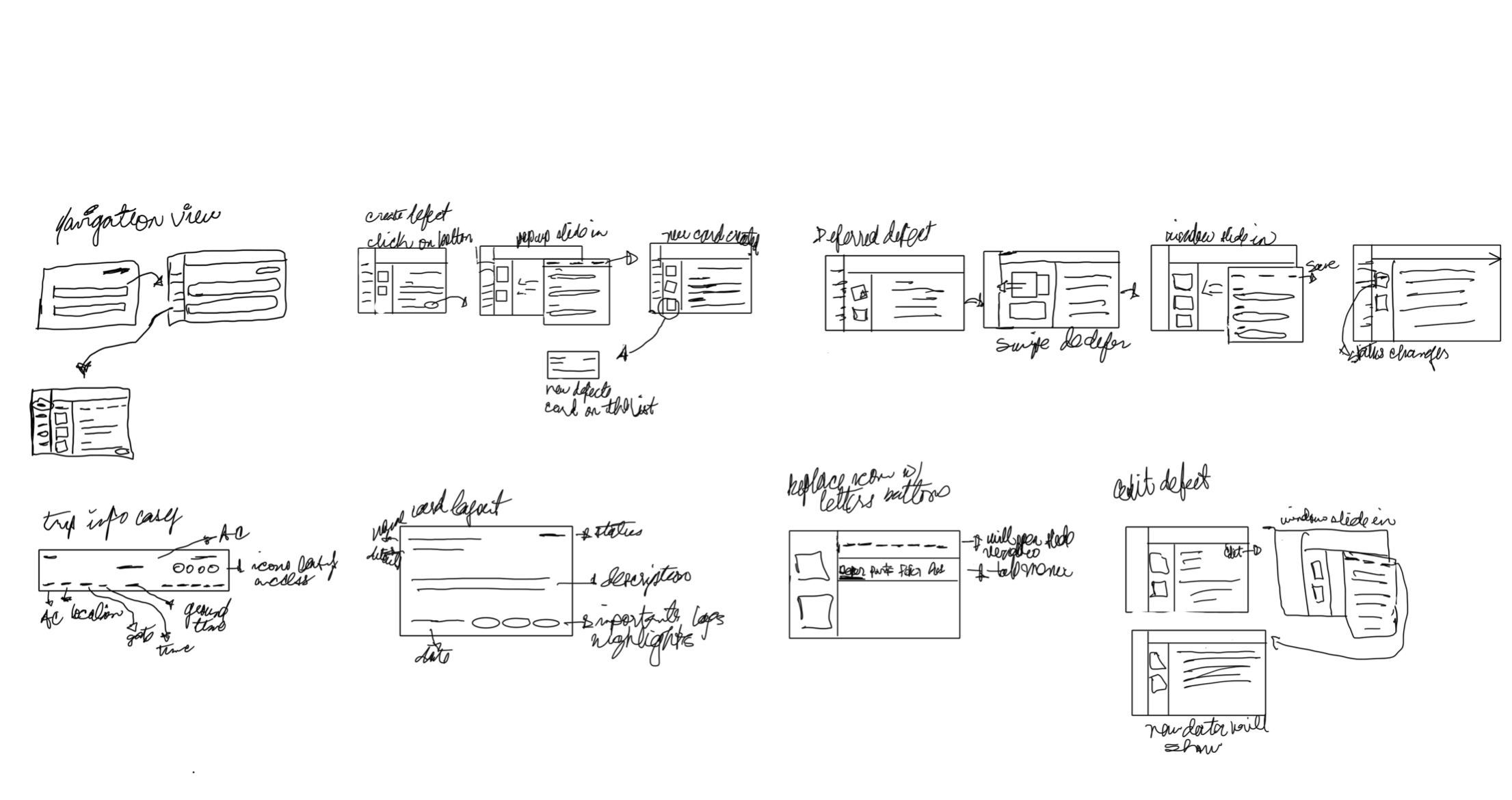
Wireframes
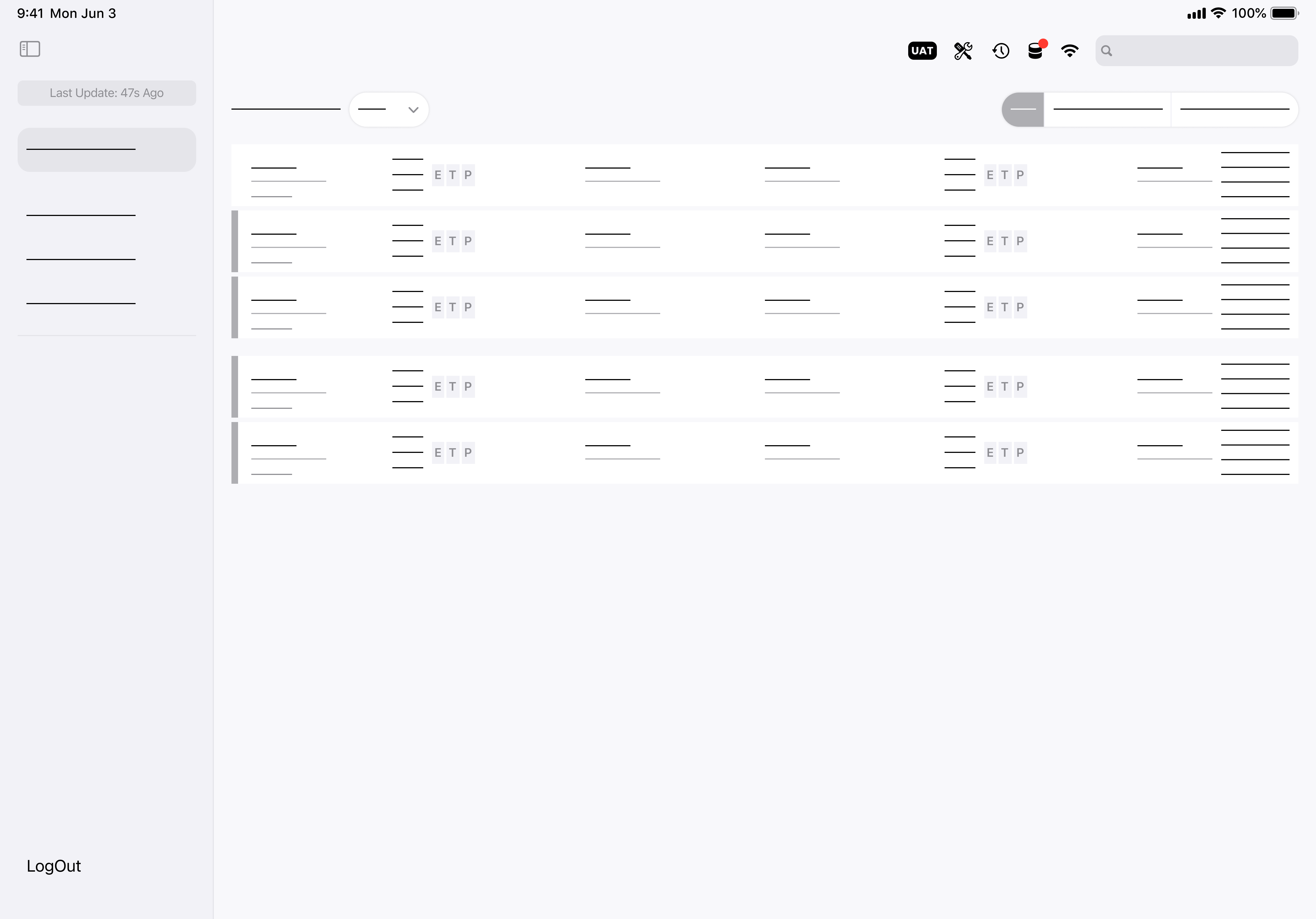
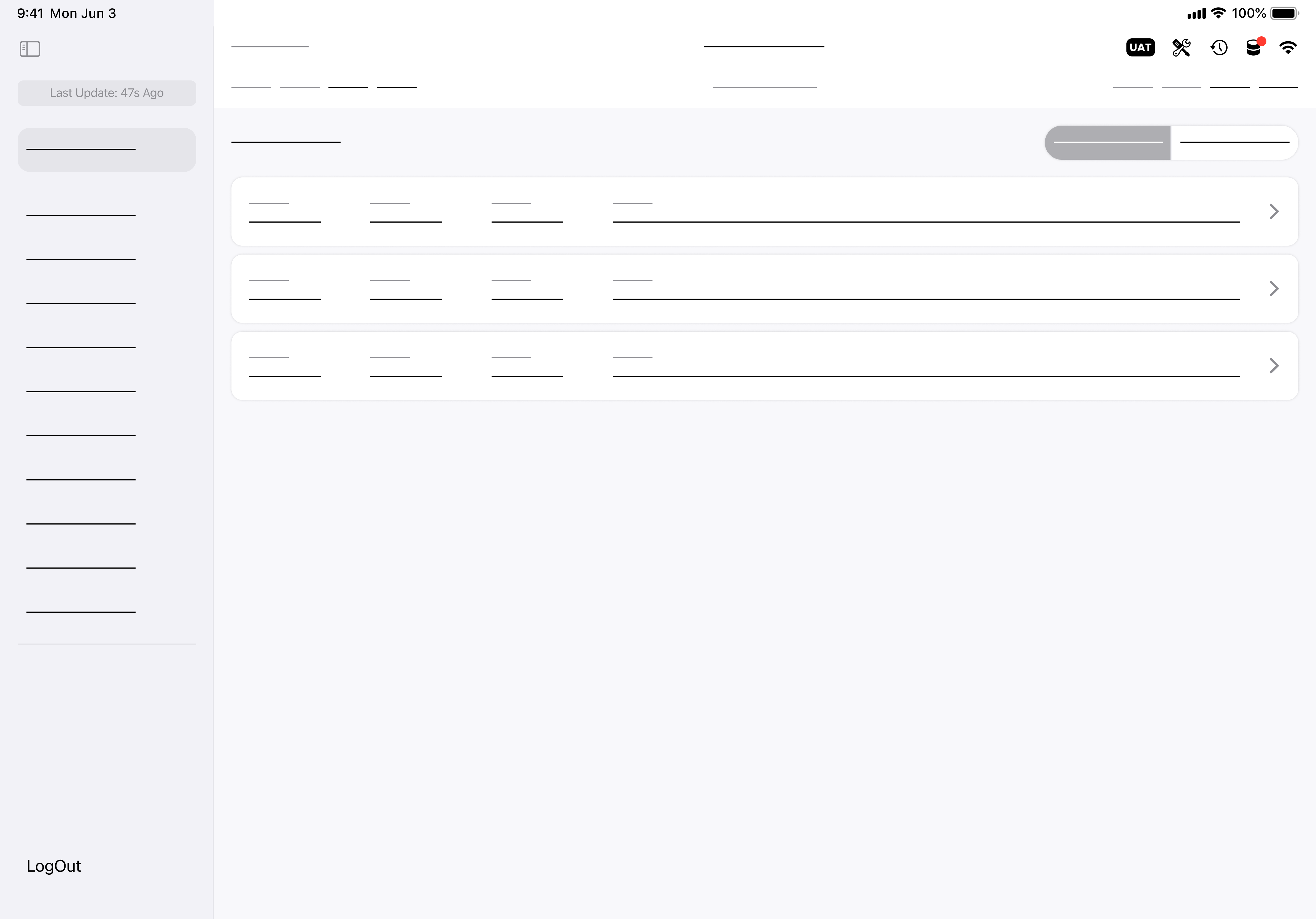
I focused on creating user-friendly wireframes that addressed pain points identified in our research. Based on stakeholder and user feedback, the design allows users to easily access features on one screen, including an advanced search filter.
Usability Test & A/B Testing
I conducted usability testing focusing on A/B testing to gain a deeper understanding of user pain points, validate our design decisions, and identify opportunities for improvement. The goal was to determine how the design could alleviate frustrations related to spending time seeking guidance for basic tasks.
Additionally, I performed in-depth usability testing with product specialists who had previously worked with mechanics, which allowed us to efficiently gather comprehensive user feedback.
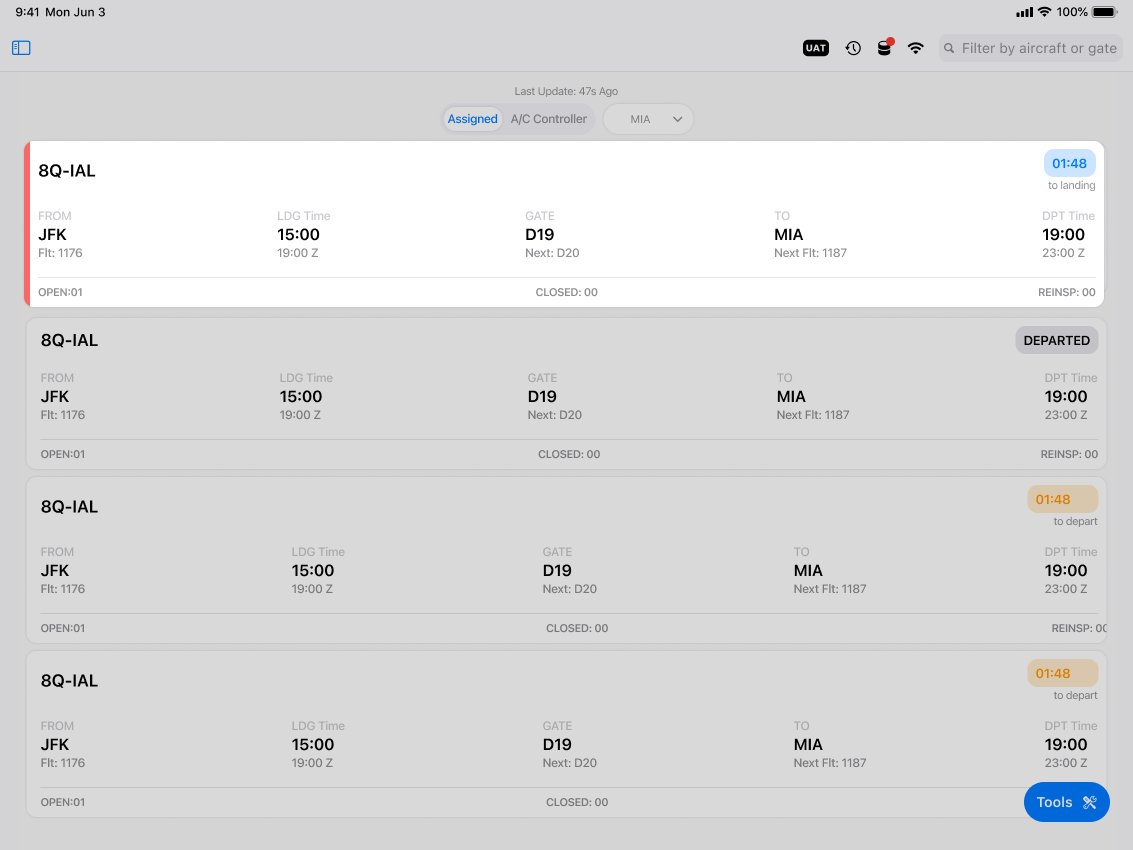
BEFORE
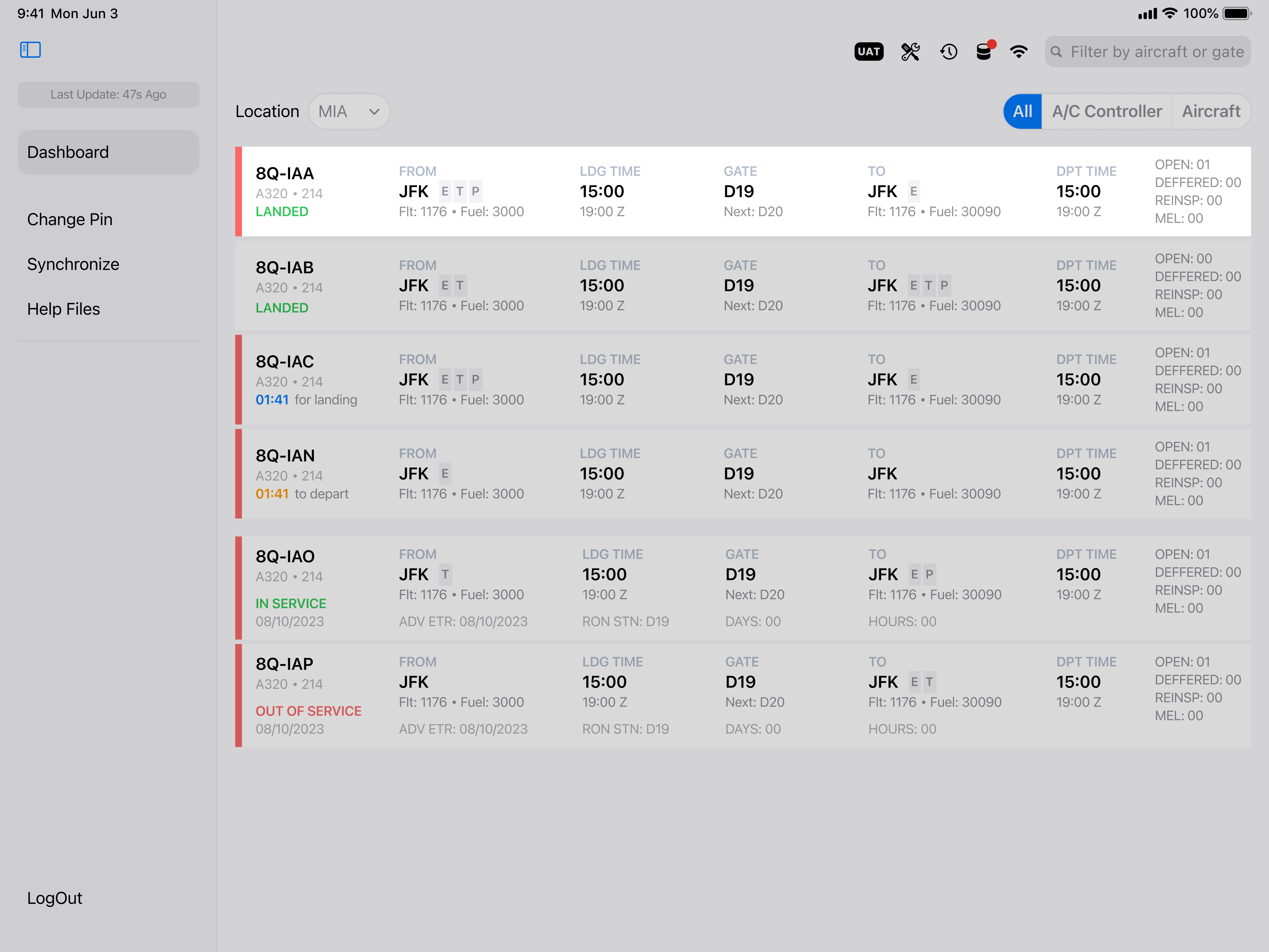
AFTER
Mechanics expressed the card was taking too much space and it will limit the amount of defect a mechanic was able to see in the dashboard.
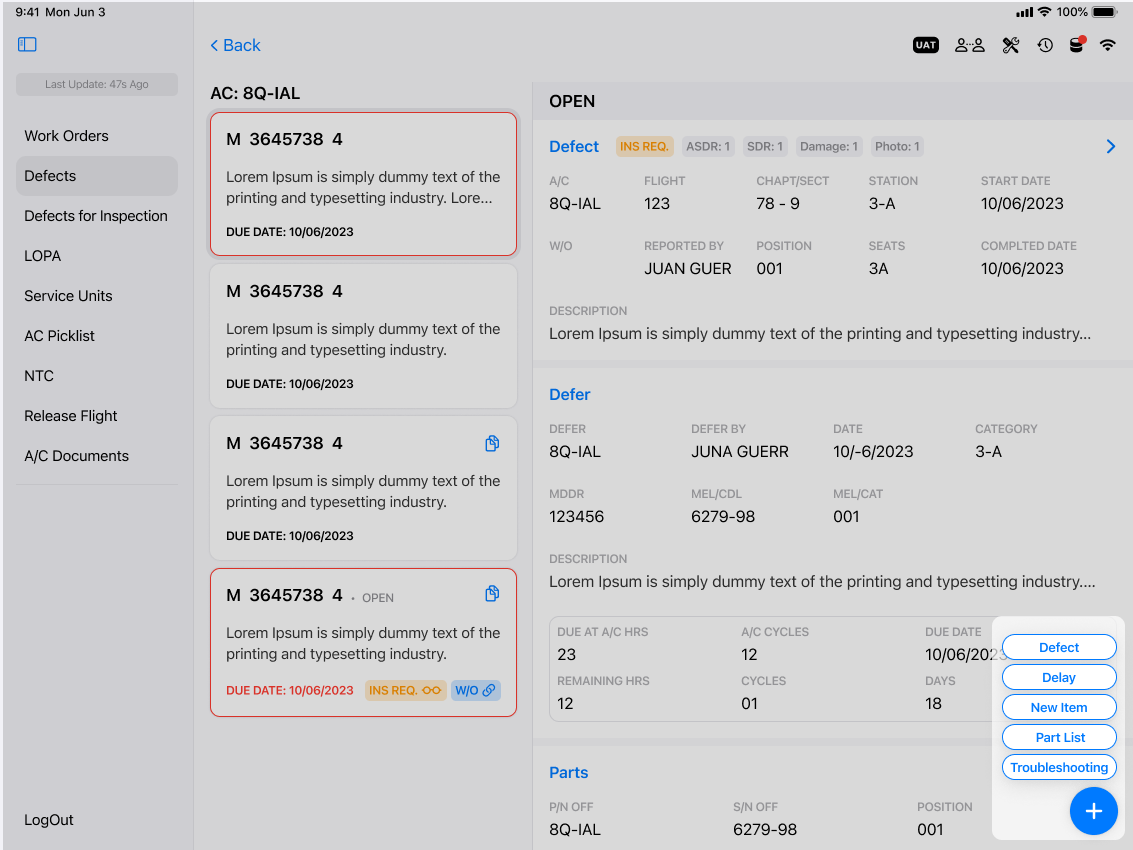
BEFORE
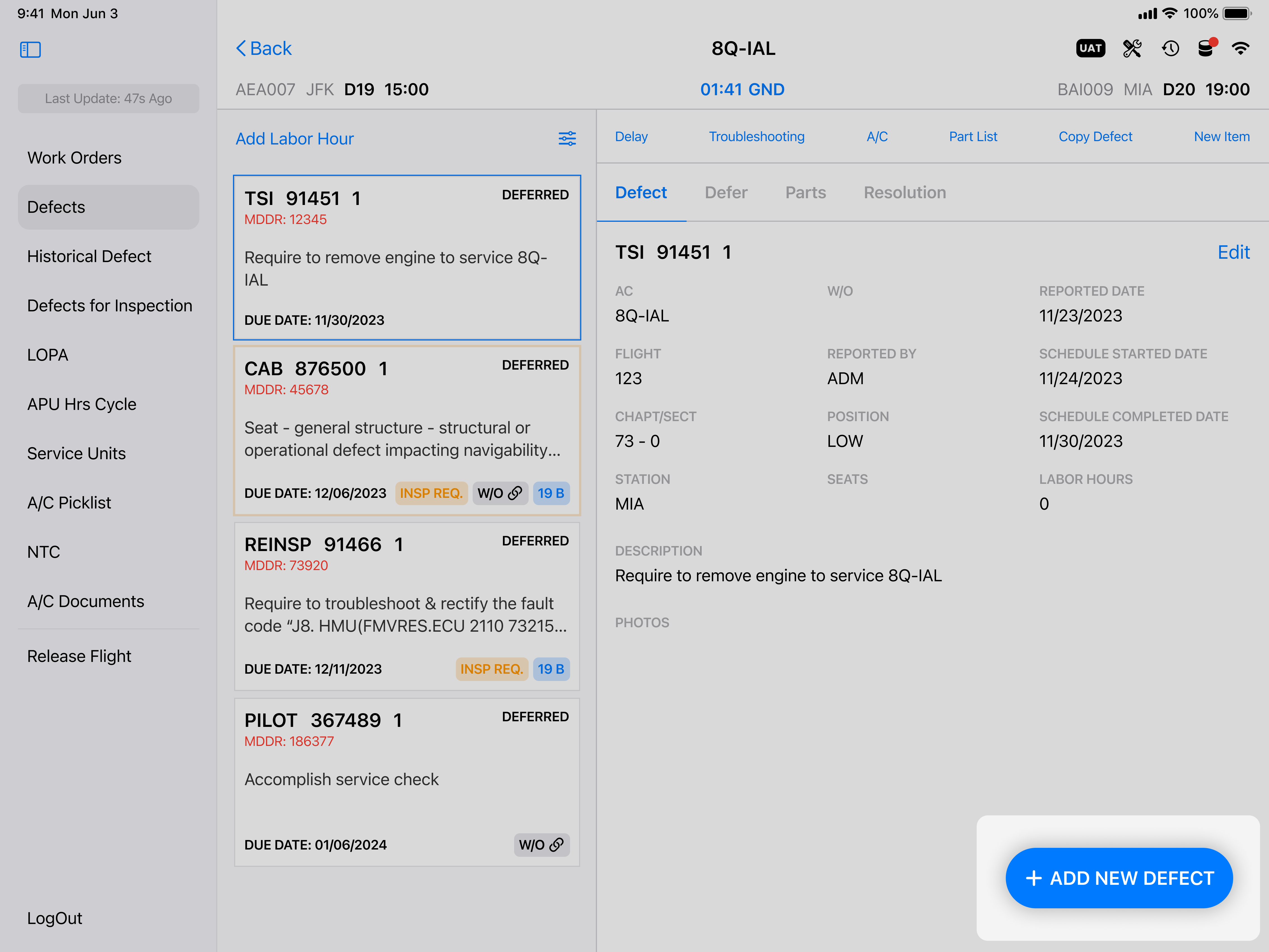
AFTER
Users suggested to upgrade button because it was confusing to identify the different add features. To solve this we decide to simplify the button action to only Add New Defect for quick access.
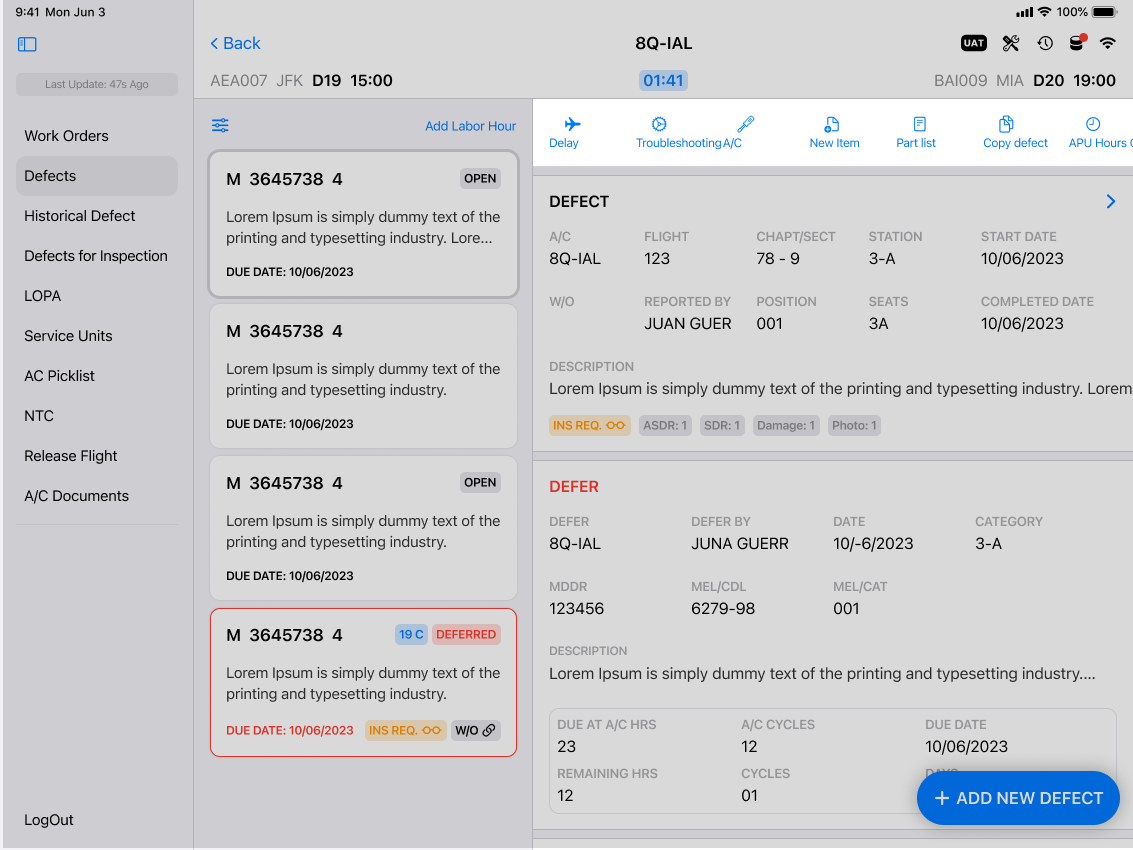
BEFORE
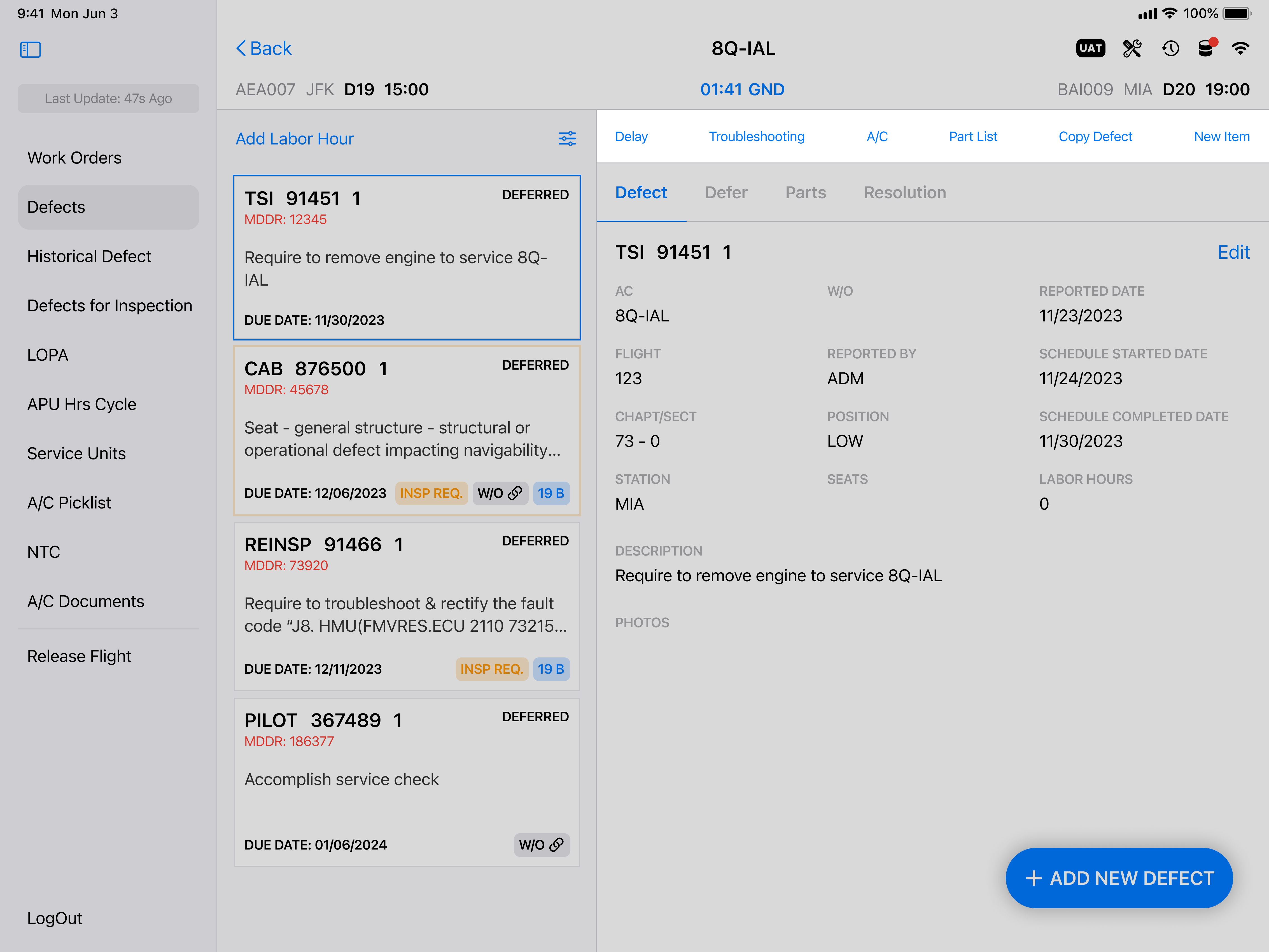
AFTER
Based on the discussion with the stakeholders and mechanics they expressed the use of icons was redundant since the name was clear to understand the action of the button.
End Results
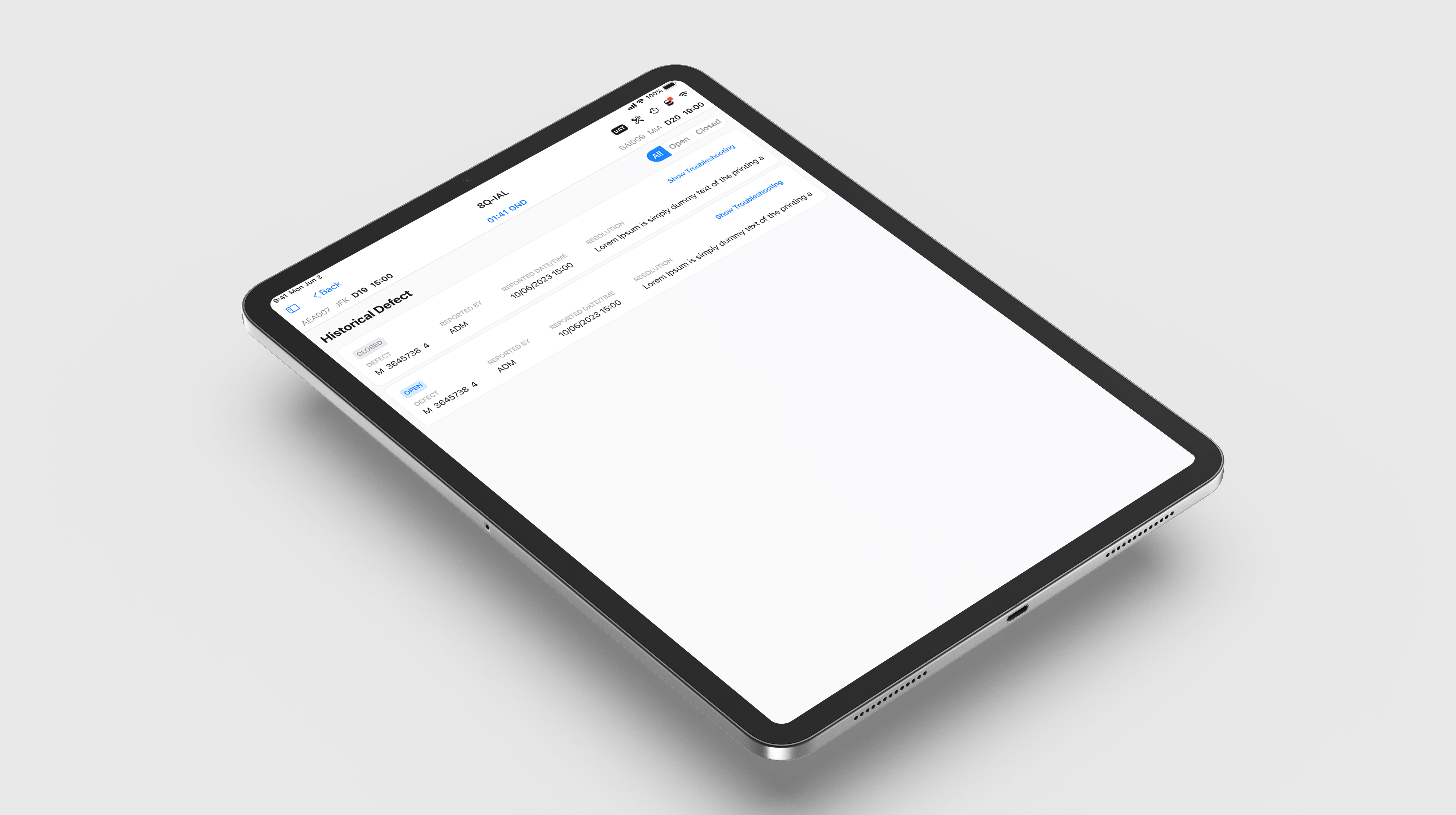
Over six months, I've collaborated with product specialists, stakeholders and mechanics to analyze the shortcomings of the previous design in meeting user experience standards. This involved conducting user interviews ans A/B testing to gain insights into the mechanics' daily workflow. The objective of this project is to enhance user experience through greater immersion and interactivity.
Reflection
Key Takeaways
Mechanics operate under pressure to quickly identify defects without losing detail. They need an efficient application to streamline their work. Our redesigned dashboard improves readability and navigation, featuring a modern layout, a quick-access search bar for filtering aircraft, and a clear visual hierarchy. This approach has increased task completion by 50% and customer satisfaction score from 3 to 5, significantly boosting user efficiency and productivity.
What did I learn?
User feedback was essential in shaping the design of a mobile app for aircraft mechanics. As the lead designer, I focused on creating an intuitive interface that addressed the real needs of users.
While initial research uncovered key insights, it was direct interaction with mechanics in the field that provided the most valuable feedback. By observing their workflows and hearing their frustrations, I was able to refine the app to better support their fast-paced tasks and ensure it was both efficient and easy to use.
Future Consideration
My next strategic move is to continue conducting modern interviews with mechanics to refine future pain points and create new features. I would also keep up with trends on the UX and mechanics sides to further develop features and designs and continue enhancing the user experience.


.png)
.png)
.png)